



How Can WhatsApp Business API Help Sales Teams Qualify and Follow Up With Leads?
WhatsApp Business API helps sales teams respond to enquiries, ask qualifying questions, organize lead details, and follow up with potential customers. Learn how businesses can use it to manage sales conversations and decide which leads need personal attention.

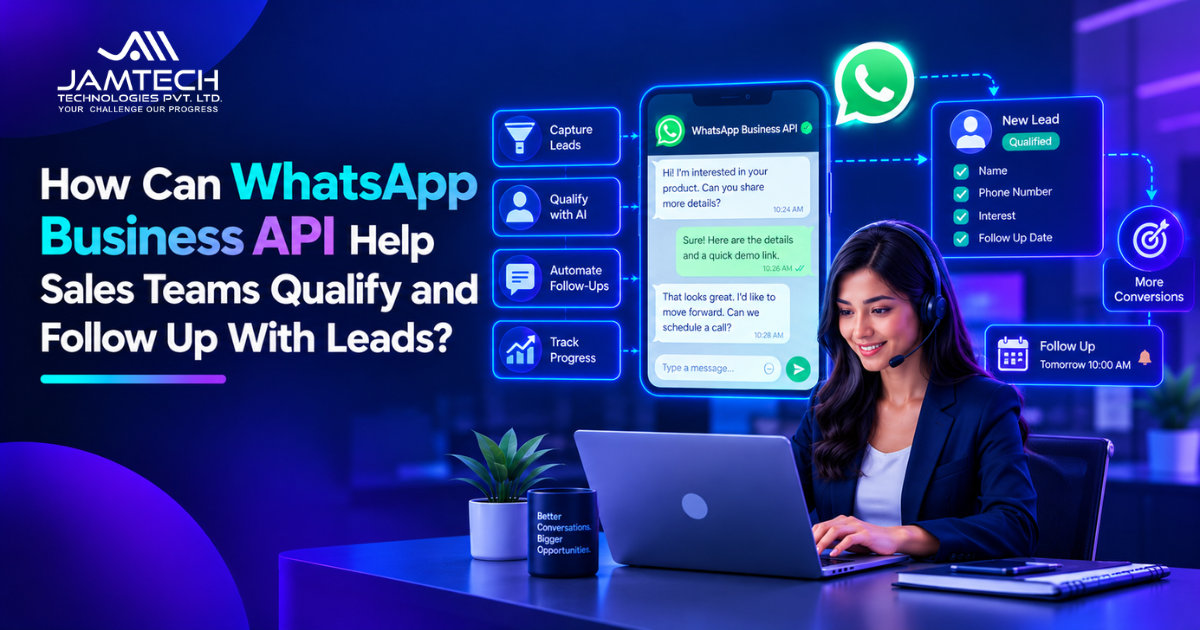
WhatsApp Business API helps sales teams manage leads by automating parts of the first conversation, collecting useful customer details, sending permitted follow-up messages, and routing promising prospects to the right salesperson. When connected to a CRM, it can also help keep lead records and conversation history organized.
For example, a person enquires about a product through a website and starts a WhatsApp conversation. The business can ask what they need, share relevant information, and collect details such as their preferred timeline. The sales team can then review the responses and decide on the next step.
The aim is to make the first stage of sales easier to manage while giving prospects a clear way to speak with a person when they need help. Businesses planning this kind of setup can consider AI chatbot development when they need conversational workflows that connect with business systems.
Why Do Sales Teams Need WhatsApp Lead Qualification?
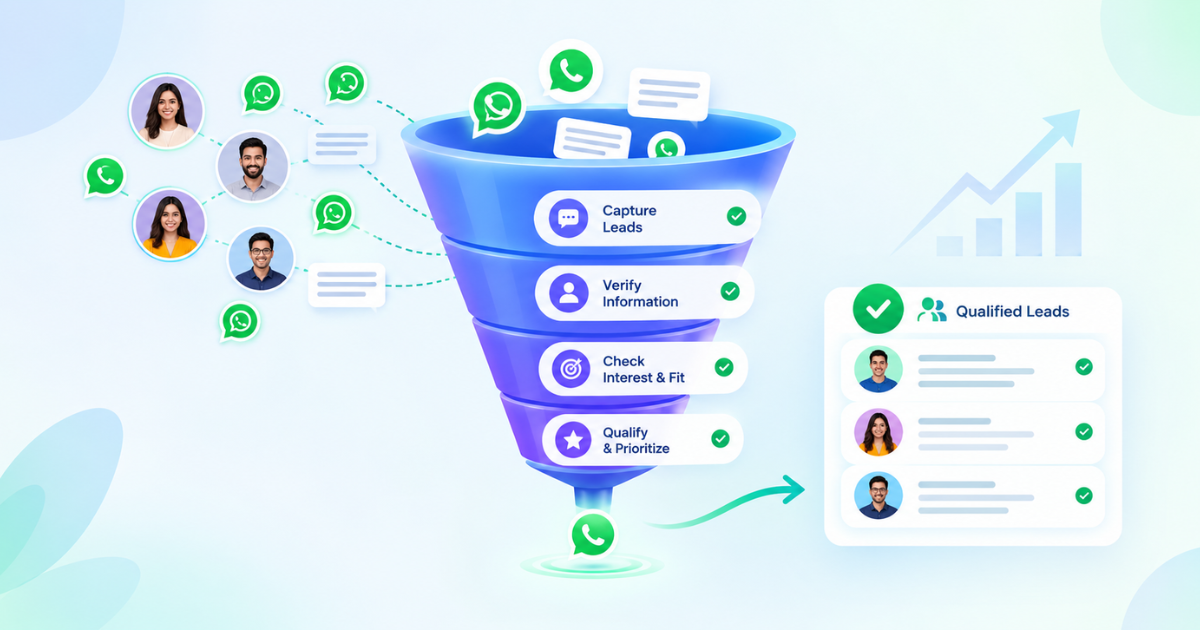
Sales enquiries can arrive through websites, advertisements, social media, referrals, and existing customers. When several channels are active, sales representatives may spend a large part of their day answering basic questions and sorting enquiries before they can focus on serious prospects.
A structured WhatsApp conversation can help collect the information needed for that first assessment.
For example, a company selling business software might ask whether a prospect is looking for a new system, replacing an existing tool, or comparing options. These answers give the salesperson a starting point for the next conversation.
Without a clear process, teams may receive incomplete details, miss follow-up dates, or contact prospects without understanding what they originally asked for.
A business can use custom AI chatbots to support these conversations when it needs more flexible questions, connected customer information, or a defined handoff to its sales team. The right setup depends on how much of the qualification process needs to be automated.
Which Questions Should WhatsApp Ask to Qualify a Sales Lead?
The questions should reflect the business’s sales process. Asking too many questions at the beginning can make the conversation feel like a lengthy form, so it is better to start with the details that help determine the next action.
Useful qualification questions include:
What are you looking for? This identifies the product, service, or problem the prospect wants to address.
When are you planning to get started? This gives the sales team an idea of the prospect’s timeline.
What is your main requirement? This helps identify features, specifications, or services that matter to the buyer.
Are you comparing options or ready to discuss the next step? This helps the team understand the prospect’s current stage.
Would you like to speak with a sales representative? This gives the prospect a direct route to personal assistance.
Not every business needs all these questions. A retailer may need product preferences and availability, while a B2B company may need to understand the project scope and decision timeline.
The answers should guide the next step rather than produce an automatic judgment about a person. A prospect who does not share a budget immediately, for example, may still be a valuable lead.
How Can WhatsApp Business API Automate Sales Follow-Ups?
Follow-up automation helps teams respond consistently after an enquiry, a product discussion, or a scheduled sales call. The messages should relate to the prospect’s request and give them a useful reason to continue the conversation.
A simple follow-up process might look like this:
A prospect makes an enquiry. The business records the source and the product or service of interest.
The first conversation collects key details. WhatsApp asks a small number of relevant questions.
The system identifies the next action. A lead may need a product answer, a callback, a quotation, or a meeting.
A suitable follow-up is scheduled. The message reflects the previous conversation and the prospect’s stated needs.
A salesperson takes over when needed. The representative receives the available context instead of starting from scratch.
For businesses that also qualify leads by phone, the same process can complement AI voice agents for sales lead qualification. WhatsApp and voice channels can serve different preferences, while the sales team follows a consistent approach to recording and reviewing enquiries.
Automation should not mean repeatedly messaging someone who has stopped responding. Follow-up timing, message relevance, customer preferences, and opt-out requests all matter.
Businesses must also follow the current WhatsApp Business Messaging Policy. Depending on the conversation and timing, approved message templates may be required to contact a customer outside the customer service window.
How Does WhatsApp Business API Connect With a CRM?
A CRM gives the sales team a central place to manage prospects, track conversations, and record the next action. Connecting WhatsApp with the CRM can reduce the need to copy information manually between separate tools.
Depending on the integration, a system may be able to:
Create a lead record when a new enquiry arrives.
Save contact details and answers to qualification questions.
Associate messages with the relevant customer record.
Assign a lead to a salesperson or team.
Record follow-up tasks and meeting requests.
Show conversation context when a representative takes over.
For example, if a prospect asks about pricing and requests a callback, the CRM can store the enquiry and the requested next step. The assigned salesperson can then review the conversation before making contact.
The exact capabilities depend on the CRM, API integration, and permissions configured for the system. Teams should confirm which details are synchronized and how failed updates are handled.
A related example is how AI chatbots handle sales calls and order status, which explains how conversational systems can connect customer requests with business data. For sales teams, this kind of integration is most useful when it keeps information accurate and makes the next action clear.
What Is a Practical WhatsApp Lead Qualification Workflow?
A useful workflow starts with one clear objective, such as responding to inbound enquiries and arranging a conversation with the right salesperson.
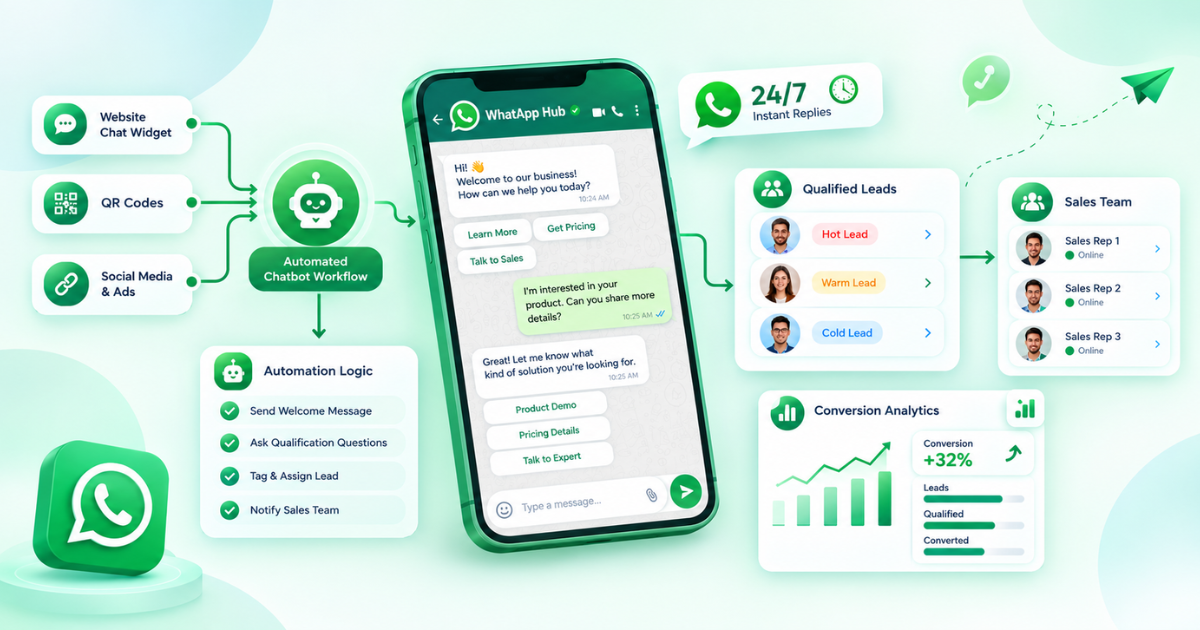
Consider a company that receives enquiries about several service packages. The workflow could begin when a prospect messages the business. WhatsApp asks what the person needs, gathers a few relevant details, and identifies whether the enquiry concerns a new purchase, an existing order, or general support.
If the person is interested in buying, the system can collect the details required by the sales team and create or update the lead record. It can then route the enquiry according to the business’s rules. A salesperson handles detailed questions, pricing discussions, or requirements that fall outside the automated flow.
This process can be part of a broader workflow automation setup, where a customer response triggers an appropriate action in another business system.
Before expanding the workflow, test it with real sales scenarios. Check whether the questions make sense, whether lead records are accurate, and whether representatives receive enough context to continue the conversation. Review cases where a customer gives an unexpected answer or asks for something the automation cannot handle.
How Should Businesses Measure WhatsApp Lead Qualification Results?
The number of messages sent is not enough to show whether a WhatsApp sales workflow is working. Businesses should measure whether the process helps them handle enquiries and move suitable prospects toward a meaningful next step.
Useful measures include:
First response time: How long prospects wait for an initial reply.
Qualification completion rate: How often prospects provide the information needed for the next step.
Sales handoff rate: How many conversations are passed to a salesperson.
Meeting or callback rate: How often qualified enquiries lead to a scheduled conversation.
Lead-to-sale conversion: How many leads eventually become customers.
Opt-out and complaint rates: Whether people find the messages unwanted or irrelevant.
Compare these measures with the business’s previous process and review them over a consistent period. Results can vary by industry, lead source, product price, and sales cycle, so there is no single conversion rate that every company should expect.
For teams connecting messaging with wider business processes, AI automation services can be relevant when the goal is to connect conversations with internal actions and reduce repetitive work. The workflow should be assessed on actual sales outcomes, not simply on how much activity it automates.
What Should Businesses Consider Before Automating WhatsApp Sales?
Businesses should define what the automation is allowed to do and when a person needs to take over. This is especially important when prospects ask questions about pricing, contracts, sensitive information, or unusual requirements.
Before launch, check that:
Customers understand why they are being contacted and can manage their messaging preferences.
Follow-up messages comply with applicable WhatsApp rules and relevant laws.
The system does not invent product details or promise something the business cannot deliver.
Customer information is handled securely and only shared with authorized systems and staff.
A clear route to a human representative is available.
Failed messages, incorrect lead records, and unusual responses can be reviewed.
Businesses should also test whether the workflow works across the channels that generate leads. A person who first enquires through a website should not have to repeat every detail when the conversation moves to WhatsApp.
For organizations with more specific integration needs, WhatsApp API developers may be relevant when connecting messaging with CRM records, sales processes, and other business tools.
What Prompt Can Businesses Use to Plan a WhatsApp Lead Qualification Workflow?
Businesses can use an LLM to prepare a first draft of their lead qualification questions and follow-up process. The output should be reviewed against the actual sales process and current messaging rules before implementation.
Reusable prompt
“Help me design a WhatsApp Business API workflow for qualifying and following up with sales leads for a [type of business]. Suggest five short qualification questions based on the customer's needs, buying timeline, and product interest. Map each possible response to a suitable next step, such as answering a question, collecting missing details, assigning a salesperson, or scheduling a callback. Include a simple CRM field structure, follow-up scenarios, human handoff rules, and metrics for measuring results. Keep the messages conversational and avoid aggressive sales language. Flag any assumptions and remind me to verify current WhatsApp messaging policies before launch.”
Use this prompt as a starting point and change the details to match your business. Add your industry, products or services, and the questions your sales team asks before moving a lead forward.
Frequently Asked Questions
Q1: What is WhatsApp Business API lead qualification?
WhatsApp Business API lead qualification is the process of using structured conversations to collect details about a prospect's needs, interest, and timeline. The information helps sales teams decide what to do next.
Q2: Can WhatsApp Business API send automated sales follow-ups?
Yes. Businesses can automate eligible follow-up messages, but they must follow WhatsApp's messaging rules, use approved templates when required, and respect customer preferences and opt-out requests.
Q3: Can WhatsApp Business API automatically update a CRM?
Yes, when the relevant CRM integration is configured to support it. Depending on the setup, it can create or update lead records, store qualification details, assign enquiries, and record follow-up tasks.
Q4: Does WhatsApp lead qualification replace sales representatives?
No. Automation can handle routine questions and collect initial details, while sales representatives remain important for complex requirements, objections, negotiations, and relationship building.
Q5: How can a business start using WhatsApp for lead management?
Start with one common enquiry type, define the questions needed to qualify it, connect the workflow to the relevant lead records, and set clear handoff rules. Test the process before expanding it to other sales scenarios.
Ready to grow your business with Jamtech?
Talk to our experts about your next digital project.