



How Can Agentic AI Detect and Resolve Cybersecurity Threats?
Agentic AI can help security teams detect suspicious activity, investigate alerts, identify possible attacks, and take controlled action.

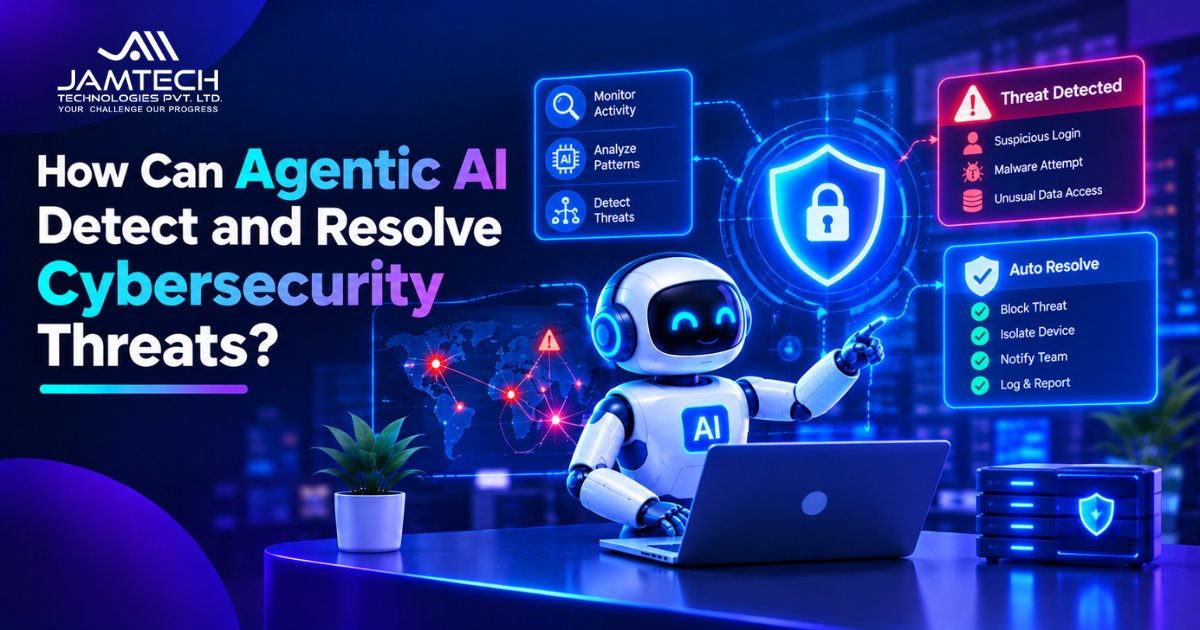
Agentic AI can detect and help resolve cybersecurity threats by monitoring system activity, investigating suspicious events, assessing their risk, and taking approved response actions. It can connect information from different security tools, identify patterns that may indicate an attack, and help security teams respond without handling every step manually.
For example, imagine an employee account suddenly attempts to access sensitive files from an unfamiliar location. An AI agent can review the login history, compare the activity with normal account behaviour, check related alerts, and assess whether the access looks suspicious. Depending on its permissions, it may flag the incident, request approval to restrict the account, or carry out a predefined response.
Unlike a basic security alert, which simply notifies an analyst about unusual activity, an agentic system can work through several investigation steps and interact with connected tools. Its job is to help move an incident from detection towards an appropriate response.
Businesses considering AI agent development can use this approach to build systems that work with business tools, follow defined permissions, and request human approval before sensitive actions.
Why Are Traditional Cybersecurity Tools Not Always Enough?
Traditional cybersecurity tools remain important. Firewalls, antivirus software, intrusion detection systems, and security information and event management platforms help organizations protect their systems and identify suspicious activity.
The challenge often begins after an alert appears. A security team may need to check several dashboards, compare login records, inspect network traffic, review endpoint activity, and determine whether different alerts belong to the same incident.
When hundreds or thousands of alerts arrive, this investigation can take time. Some alerts may be harmless, while a genuine threat may be hidden among routine activity.
Agentic AI can help connect these investigation steps. Instead of treating every alert as a separate event, an agent can gather related information and examine the wider context.
For example, an unusual login followed by repeated file access and an unexpected data transfer may deserve more attention than any one event on its own. The agent can bring these signals together for further assessment.
Organizations should still maintain the basics, including access controls, software updates, vulnerability checks, and incident response plans. AI-assisted detection works best when it supports an established security process.
How Does Agentic AI Identify Suspicious Cyber Activity?
Agentic AI uses information from connected security systems to understand what is happening across an organization's digital environment. It can examine several types of activity rather than relying on one alert or one source of data.
Network traffic and unusual connections
An agent can examine network activity for unexpected connections, unusual traffic volumes, or communication with suspicious destinations. These signals may indicate unauthorized access, malware activity, or data movement that needs investigation.
User and account behaviour
A sudden change in login location, repeated failed login attempts, unusual access times, or unexpected permission changes can indicate account misuse.
Agentic AI can compare these events with available account history and security policies to decide whether further investigation is needed.
Endpoint activity
Endpoints include laptops, desktops, servers, and other devices connected to a business network. An agent can review security alerts from these devices, such as unusual processes, suspicious file changes, or unexpected software activity.
Threat intelligence and known attack patterns
Threat intelligence provides information about known malicious IP addresses, domains, malware indicators, and attack techniques. An agent can compare this information with current system activity to add context to an investigation.
AI and machine learning can support this process by identifying patterns in large volumes of data. Businesses can use AI and machine learning capabilities when connecting intelligent detection features with existing applications and systems.
How Does Agentic AI Investigate a Cybersecurity Alert?
Detection is only the first step. A useful security workflow needs to establish what happened, which systems may be affected, and whether the activity presents a genuine risk.
Agentic AI can follow a sequence of investigation steps:
Collect evidence: Gather relevant logs, account activity, endpoint alerts, and network information.
Connect related events: Check whether several alerts are linked to the same account, device, or activity.
Assess the risk: Compare the evidence with known attack patterns and the organization's security rules.
Identify the possible impact: Determine which systems, accounts, or data may be affected.
Recommend a response: Suggest an action based on the incident and its severity.
Record the investigation: Keep a record of the evidence, decisions, and actions taken.
Consider a possible phishing incident. An employee receives a suspicious email and clicks a link. The security system flags unusual activity on the employee's account. An agent can review the email details, examine the login history, check for unexpected file access, and determine whether other accounts show related activity.
If the evidence points to a wider incident, the agent can prepare an incident summary and alert the security team. The team can then review the findings and decide how to proceed.
This investigation may involve AI-based cyberattack detection, including the analysis of network traffic, user behaviour, and system logs.
Can Agentic AI Resolve Cybersecurity Threats Automatically?
Yes. Agentic AI can carry out certain security responses automatically when it has the required permissions and the action falls within approved rules. However, not every incident should be handled without human review.
Depending on the system and its access, an agent may be able to:
Block a suspicious network connection.
Restrict access to a compromised account.
Isolate an affected device from the network.
Create an incident ticket for the security team.
Trigger an approved security workflow.
Collect additional evidence for investigation.
For example, if a device shows clear signs of malicious activity, an agent may trigger an approved isolation procedure to limit further access to the network. It can then notify the security team and record why the action was taken.
More sensitive actions need greater care. Deleting data, changing critical permissions, shutting down business systems, or disabling important accounts can affect normal operations. These actions should generally require human approval or a carefully tested response policy.
The goal is to reduce the time between detecting a threat and taking an appropriate action without giving an AI system unrestricted control over business infrastructure.
What Is the Difference Between Agentic AI and Traditional Security Automation?
Traditional security automation follows predefined rules and workflows. Agentic AI can work through a broader sequence of investigation and response steps, using context from connected systems to decide what to do next within its assigned limits.
Area | Traditional security automation | Agentic AI |
|---|---|---|
Main approach | Follows predefined rules | Works towards a defined security goal |
Investigation | Runs configured checks | Connects information across multiple sources |
Decision-making | Uses fixed conditions | Assesses context and available evidence |
Response | Triggers predefined actions | Plans and performs approved actions |
Flexibility | Depends on configured workflows | Can adjust its investigation based on findings |
Human involvement | Depends on the workflow | Can request review or approval at key stages |
For example, a traditional rule may create an alert whenever a user enters the wrong password several times. An agentic system may examine the login location, device information, recent account activity, and related alerts before recommending the next step.
This does not mean agentic AI makes every decision better. Its findings still depend on the quality of available data, the tools it can access, and the rules governing its actions.
How Should a Business Use Agentic AI to Respond to a Cyberattack?
A business should use agentic AI to investigate security events, assess their possible impact, and carry out responses that have been approved in advance. The level of autonomy should depend on the severity of the incident and the possible consequences of an incorrect action.
For a suspected compromised account, a controlled response could look like this:
Review login history and recent account activity.
Check whether the account accessed unusual files or systems.
Compare the activity with the organization's security policies.
Flag the incident and prepare a summary of the evidence.
Request approval before disabling the account if the action could interrupt important work.
Record the final decision and the actions taken.
This approach gives security teams a clear picture of what happened before they act. It also reduces the chance of an automated system disrupting normal business activity because of a misleading alert.
For organizations connecting security workflows with other business systems, AI automation services can be relevant when several tools need to exchange information or trigger controlled actions. Security permissions and approval rules should remain clearly defined.
What Security Risks Should Businesses Consider Before Using Agentic AI?
Agentic AI can help security teams, but it also introduces risks that need to be managed. An agent that can access multiple systems or take actions on its own may cause harm if it is misconfigured, manipulated, or given excessive permissions.
Excessive system permissions
An agent with broad access may change settings, access sensitive information, or interrupt business operations beyond its intended role. Give each agent only the permissions required for its assigned tasks.
Incorrect threat assessments
An agent may misunderstand an event or treat normal activity as malicious. This can lead to unnecessary account restrictions, blocked connections, or operational delays.
Prompt injection and malicious instructions
An attacker may place harmful instructions in emails, documents, web pages, or other content that an AI agent reads. If the agent treats that content as trusted instructions, it may take actions outside its intended purpose.
Uncontrolled actions
An agent may repeat an action, follow an incorrect sequence, or continue working when it should stop. Defined action limits, approval gates, and safe stopping conditions help reduce this risk.
Limited visibility and accountability
If organizations cannot review what an agent accessed, which tools it used, or why it took an action, investigating mistakes becomes difficult. Activity logs and clear ownership are important.
Businesses should also consider responsible AI practices when planning autonomous systems. Security teams need to assess an agent's access, behaviour, and possible impact before allowing it to work with important systems.
How Can Businesses Introduce Agentic AI Safely in Cybersecurity?
Businesses should introduce agentic AI gradually, beginning with tasks where the impact of an incorrect action is limited. The level of autonomy should increase only when the system has been tested and the organization can monitor its behaviour.
A practical adoption process includes:
Choose a defined task: Start with alert classification, evidence collection, or incident summaries rather than giving an agent control over critical systems.
Connect trusted data sources: Provide access only to the logs, monitoring platforms, and security tools needed for the task.
Set permission limits: Define which information the agent can read and which actions it can perform.
Add approval steps: Require a security professional to approve high-impact or irreversible actions.
Test unusual situations: Check how the agent responds to incomplete data, false alerts, malicious instructions, and system failures.
Monitor every action: Keep records of investigations, tool usage, decisions, approvals, and response outcomes.
Review performance: Track incorrect decisions, missed threats, response time, and the number of incidents requiring human intervention.
Businesses should also test how agents behave when a connected security tool becomes unavailable or provides incomplete information. An agent should be able to stop safely and report the problem rather than continue with assumptions.
How Can Agentic AI Support a Security Operations Centre?
A Security Operations Centre (SOC) monitors an organization's systems, investigates alerts, and coordinates responses to security incidents. Agentic AI can support SOC teams by taking on some of the repetitive work involved in these activities.
For example, an agent can group related alerts, collect evidence, summarize an incident, and prepare a recommended response. Analysts can spend more time reviewing complex threats and deciding how to handle incidents that could affect business operations.
A multi-agent setup may also assign different responsibilities to specialized agents. One agent could examine identity activity, another could review endpoint alerts, and another could prepare an incident summary. Their findings can be brought together for a security analyst to review.
This approach requires careful coordination. Each agent needs a defined role, limited permissions, and a way to report errors or incomplete findings. The organization should also be able to trace which agent performed each action.
Agentic AI is therefore best viewed as an additional capability for security teams, rather than a replacement for the people responsible for protecting business systems.
What Should Businesses Check Before Giving AI Agents Access to Security Systems?
Before giving an AI agent access to security tools, businesses should check what information it can read, which actions it can perform, and who is responsible for reviewing its decisions.
A security review should cover:
Access permissions: Can the agent access only the systems and information required for its task?
Action limits: Which actions can it perform without approval?
Human review: Which decisions must be checked by a security professional?
Activity records: Can the organization see what information the agent used and what actions it took?
Failure handling: Does the agent stop safely when information is missing or a connected tool fails?
Testing: Has the system been tested against false alerts, malicious instructions, and unexpected situations?
These checks help businesses understand the risks before introducing autonomous actions into important security processes. They also make it easier to investigate mistakes and improve the system over time.
Frequently Asked Questions
Q1: What is agentic AI in cybersecurity?
Agentic AI in cybersecurity uses AI agents to investigate security events, assess threats, and perform approved response actions. It can work across connected security tools to complete several steps with limited human intervention.
Q2: How does agentic AI detect cyber threats?
Agentic AI examines information from network logs, endpoint monitoring tools, user accounts, and threat intelligence sources. It can connect related events, look for unusual patterns, and flag activity that may indicate an attack.
Q3: Can agentic AI detect and stop cyberattacks in real time?
Agentic AI can analyse incoming security data and investigate suspicious activity as events occur. It may also trigger approved response actions. However, detection speed depends on the available data, system connections, monitoring setup, and response rules. It cannot guarantee that every attack will be stopped.
Q4: Can agentic AI prevent ransomware attacks?
Agentic AI may help identify suspicious file activity, unusual encryption behaviour, and other signs associated with ransomware. It can also trigger approved actions, such as isolating an affected device. However, it cannot guarantee ransomware prevention. Backups, access controls, patching, and incident response planning remain important.
Q5: What is the difference between agentic AI and AI-powered threat detection?
AI-powered threat detection generally focuses on identifying suspicious patterns and raising alerts. Agentic AI can go further by investigating those alerts, gathering evidence from connected tools, and carrying out approved response steps.
Q6: Can agentic AI automatically respond to a security incident?
Yes, when it has the required permissions and the response follows predefined security rules. It may block a suspicious connection, isolate a device, or create an incident ticket. High-impact actions should have suitable approval and review procedures.
Q7: Does agentic AI replace a Security Operations Centre team?
No. It can help SOC analysts handle repetitive investigation tasks and organize security information. Human professionals are still needed to assess complex incidents, approve sensitive actions, and manage the organization's wider security strategy.
Q8: What are the risks of using autonomous AI agents in cybersecurity?
The main risks include excessive permissions, incorrect threat assessments, prompt injection, uncontrolled actions, and limited accountability. Businesses can reduce these risks through access restrictions, testing, monitoring, audit logs, and human approval.
Q9: How can a small business use agentic AI for cybersecurity?
A small business can begin with limited tasks such as organizing alerts, summarizing suspicious activity, and collecting evidence for review. It should use established security tools, restrict agent permissions, and keep a clear route for human intervention.
Q10: What should an organization consider before implementing agentic AI for cybersecurity?
An organization should assess its security requirements, available data, connected tools, agent permissions, response rules, and monitoring process. It should begin with a limited use case, test the system, and expand its responsibilities only after reviewing its performance.
Ready to grow your business with Jamtech?
Talk to our experts about your next digital project.