



RPA vs AI Automation and When to Use Each One
RPA follows fixed rules, while AI automation reads and judges messy input. Here is how they differ, what each costs, and how to pick one.

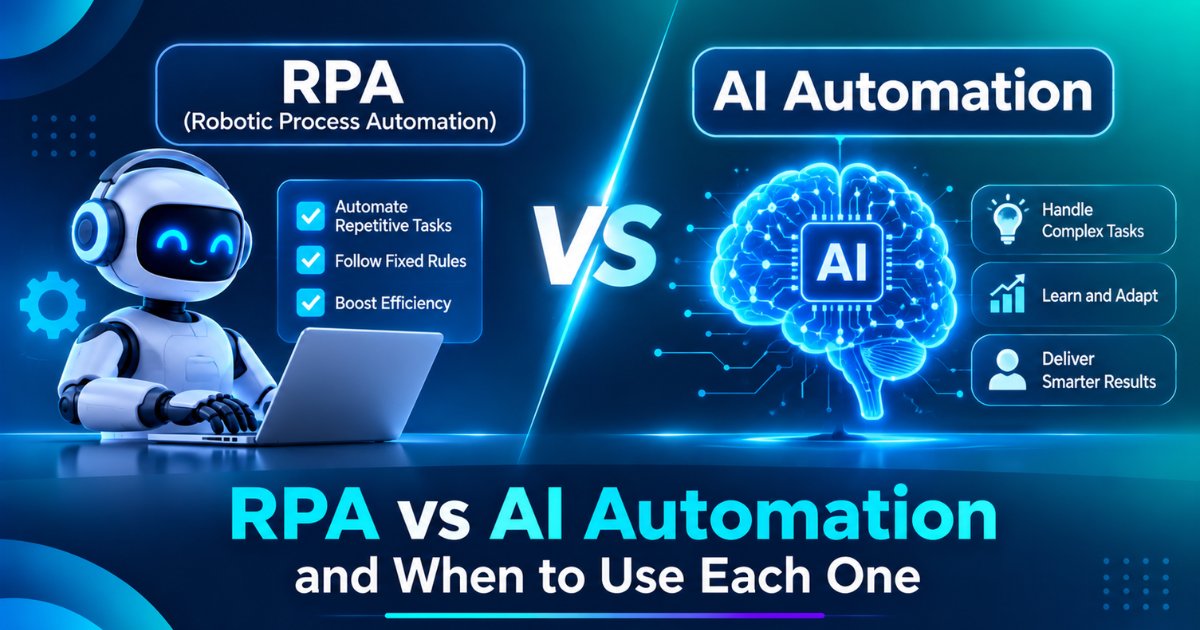
What is the difference between RPA and AI automation?
RPA runs a script. AI automation interprets input before it acts. RPA repeats the exact steps you recorded and fails when a screen or document changes. AI automation can read a new invoice layout or classify an email it has never seen, and it needs testing because it can be wrong.
In practice, the difference comes down to the input. If every item arrives in the same format, RPA is enough. If items arrive in many formats or in plain language, you need AI for the reading step. The table below compares the two on the points that matter when you buy or build.
RPA vs AI automation, how do they compare?
Area | RPA | AI automation |
|---|---|---|
How it works | Follows fixed rules and recorded steps | Uses a model to read, classify, extract or decide |
Best input | Structured, consistent data | Emails, scans, free text, varied layouts |
When input changes | Breaks until someone updates the script | Often copes, but needs re-testing |
Typical error | Stops or fails visibly | Wrong but confident output, if not controlled |
Setup effort | Map the process and record steps | Prepare data, write instructions, build a test set |
Running cost | Software licence plus maintenance | Model usage, review time and maintenance |
Auditing | Simple, because steps are fixed | Needs logs of inputs, outputs and decisions |
Best for | Moving data between systems, form filling, reports | Document reading, ticket triage, lead scoring, drafting |
What is RPA?
Robotic process automation (RPA) is software that performs a fixed sequence of tasks across applications, much as a person would. The IEEE Guide for Terms and Concepts in Intelligent Process Automation, approved in June 2017, describes it as a preconfigured software instance that uses business rules and predefined activity to complete a process in one or more unrelated systems, with human exception management.
The key phrases are business rules and predefined activity. RPA does not interpret. It follows the path you gave it, which is why it is fast, cheap to run and easy to audit. It is also why it breaks when the path changes. A moved button, a renamed field or a new invoice layout can stop a bot until someone repairs it.
RPA suits tasks such as copying data from one system into another when no integration exists, filling the same form repeatedly, generating routine reports and reconciling two structured lists.
What is AI automation?
AI automation uses an AI model inside a workflow to handle the steps that need understanding. The model reads, classifies, extracts or drafts, and ordinary rules and software take over after that. The full definition, with examples by department, is in the guide on what AI automation is.
A typical flow looks like this. An email arrives. The model decides whether it is a refund request, a complaint or a question. The workflow looks up the order, checks the refund rule and either completes the step or sends it to a person for approval. The model does the reading, and the rules do the deciding.
AI automation suits work where the input varies: supplier invoices in many layouts, support tickets in plain language, contracts, resumes and enquiry forms. It handles variety, and the price is a new kind of error. A model can misread a field or state something that is not in the document, so you need a pass bar, a test set and a human route for doubtful items.
When should you use RPA?
Use RPA when the process has fixed steps, structured data and stable screens, and when a wrong result is easy to catch. Good fits include moving data between two systems that lack an integration, nightly reports from the same sources, and form filling from a clean spreadsheet.
Check that the process is stable before you build. If the underlying application changes every month, the bot will need constant repair, and an API integration is often a better answer than a bot that clicks through the screen. If the system offers an API, use it. RPA is the tool for systems that give you no other way in.
When should you use AI automation?
Use AI automation when the input is unstructured or varies, when the task needs judgment about meaning, or when staff currently spend their time reading. Typical cases are invoice and document extraction, support ticket triage, summarising calls and drafting replies from approved content.
Choose it only where a person can check the result quickly and where a wrong result has a limited cost. Start with a draft-and-approve design, in which the AI proposes and a person confirms, then remove approval for the categories where the logs show the AI is almost always right. If a wrong result would be costly or hard to reverse, keep a person in the loop. If you later want the AI to choose its own steps and call tools, it becomes an agent, and the comparison of AI agents vs chatbots explains where that line sits and what changes in risk.
Can RPA and AI automation work together?
Yes, and this combination is common. The AI step handles the unstructured part, and the RPA bot or an API handles the structured part. In an invoice process, AI reads each invoice in any layout and returns clean fields, and RPA enters those fields into your accounts system. Each tool does the job it is good at.
Take accounts payable as an example. The AI step reads each invoice and returns the vendor, date, tax and total with a confidence score. A rule compares the total with the purchase order. Matches pass to an RPA bot or an API call that posts the entry. Mismatches and low-confidence items go to a person. Each layer catches what the one before it misses, and none depends on a single tool being right. The person reviewing the exceptions also sees which kinds of invoices fail most, which tells you what to improve.
This combined approach is often called intelligent automation. The benefit is that you do not have to replace working RPA bots. You add an AI reading step in front of them, which removes the main cause of failure, which is variable input. The list of tools for business automation shows which platforms support both.
How do you decide in four questions?
Ask four questions about the process, and answer them with data from the last month of work, not with impressions.
First, how consistent is the input? If almost every item has the same format, RPA fits. If formats vary, you need AI. Second, how often do the exceptions occur? Count the items that do not follow the standard path. As a rule of thumb, not a published benchmark, a process with very few exceptions suits RPA, and one where a large share of items need judgment suits AI, with a mixed design in between. Third, what does a wrong result cost? If it costs a lot, keep approval steps whichever tool you choose. Fourth, how often does the underlying system change? Frequent change favours APIs or AI that tolerates variation over recorded click paths.
Three short examples show the answers in practice. Copying order data from your ERP into a warehouse portal that has no API, in the same format every day, is an RPA job, or an API job if one exists. Reading supplier invoices that arrive in dozens of layouts is an AI job, with RPA or an API entering the result. Answering customer emails that mix refund requests, complaints and questions is an AI job with approval, because the input varies and a wrong reply has a cost.
Two further checks save money. Confirm the process has enough volume to justify the build, since a task that runs a few times a month rarely pays back. And confirm that the process itself is sound, because automating a messy process produces a faster mess. The guide to the first processes to automate with AI helps you rank candidates by volume, clarity and risk.
What does each one cost to run and maintain?
RPA costs a software licence per bot or per user, plus the time to build the bot and to repair it when applications change. The repair line is the one people forget, and it grows with the number of bots and the pace of change in the systems they touch.
AI automation costs model usage, which is charged by the amount of text processed, plus the build effort, the test set and the human review that remains. Use each provider's live price page, since rates change often. Longer documents and longer chats cost more, and review time can exceed model cost in the early months.
Compare the two by cost per completed task, which is total monthly cost divided by tasks finished correctly. That figure captures repair time, review time and failures, which a licence price alone hides. A cheap bot that fails on a fifth of the items costs more per good result than a dearer one that finishes nearly all of them.
What goes wrong with each approach?
RPA fails visibly and often at the edges. A changed layout, a slow screen or an unexpected pop-up stops the bot, and the work queues up until someone notices. Monitor bots, set alerts and keep a manual fallback for critical processes.
AI automation fails quietly. A wrong extraction can pass through the workflow looking normal. Guard against it with checks that do not depend on the model, such as comparing an invoice total with the purchase order, with a confidence threshold below which the item goes to a person, and with a sample review each week.
Both approaches raise data questions. If the process handles personal data, India's Digital Personal Data Protection Rules, notified in November 2025, apply to how you store and process it, and most duties start 18 months later. Plan consent, retention and access control, and ask a legal adviser to review the design. Both approaches also need an exception path. The IEEE definition of RPA includes human exception management, which tells you that even a rule-driven bot needs a person for the cases it cannot handle. Decide who that person is, how they are alerted and how fast they must respond before the first bot goes live.
How do you move from RPA to AI automation?
Start with the bots that fail most often. Pull the failure log for three months, and find the ones that stop because of variable input, such as a new document layout. Those are the best candidates for an AI reading step in front of the bot.
Then run the AI step in shadow mode. It reads the same items the bot receives and proposes the fields, while the existing process continues unchanged. Compare its output with the result the bot and the person produced. When the match rate on routine items meets the pass bar you set beforehand, switch it on with approval for doubtful items. Keep the old path available until the new one has run cleanly for several weeks.
Teams that lack in-house skills often bring in help with intelligent automation services for the first one or two conversions, then extend the pattern themselves. Whichever route you take, measure cost per completed task before and after, so the decision rests on your own numbers.
Jamtech Technologies publishes this guide and offers AI automation services, so weigh that when you read our advice. The four questions and the shadow test work whoever builds the system.
Frequently asked questions
Q1. What is the difference between RPA and AI automation?
RPA follows fixed rules and recorded steps, so it suits structured, predictable tasks. AI automation uses a model to read and judge unstructured input such as emails and scanned documents. RPA breaks visibly when input changes, while AI can be wrong without showing it, so each needs different controls.
Q2. Is AI automation better than RPA?
Neither is better in every case. RPA is cheaper to run and easier to audit for fixed tasks with consistent data. AI automation handles variable input but needs a test set and human review. Many teams combine them, using AI to read and RPA or an API to enter the result.
Q3. When should I use RPA instead of AI?
Use RPA when the process has fixed steps, structured data and stable screens, and a wrong result is easy to catch. Typical cases are moving data between systems without an API, nightly reports and form filling. If an API exists, it is often a better choice than a bot.
Q4. When should I use AI automation instead of RPA?
Use AI automation when input is unstructured or varies, such as invoices in many layouts, support tickets in plain language or contracts. It also fits tasks where staff spend time reading and judging. Keep approval steps for any decision where a wrong result is costly or hard to reverse.
Q5. Can RPA and AI automation work together?
Yes, and the combination is common. The AI step handles reading, classifying or extracting from unstructured input, and an RPA bot or API handles entry into structured systems. This is often called intelligent automation. It lets you keep working bots and add AI only where variation causes failures.
Q6. What is intelligent automation?
Intelligent automation combines RPA or workflow tools with AI such as machine learning and language models. The AI handles understanding, and the rules and bots handle structured execution. IEEE published a guide to terms and concepts in intelligent process automation in June 2017 to give the field common definitions.
Q7. Is RPA still relevant in 2027?
Yes, for stable, structured tasks in systems that offer no API. Its limits are brittleness when screens change and no ability to read unstructured input. Many organisations keep RPA for the structured steps and add AI for the reading steps, instead of replacing bots.
Q8. Which is cheaper, RPA or AI automation?
It depends on the process. RPA costs a licence plus build and repair time, while AI automation costs model usage, build effort and human review. Compare by cost per completed task, which is total monthly cost divided by tasks finished correctly, because repairs and failures change the real price.
Q9. Why do RPA bots break?
RPA bots follow recorded paths, so a moved button, a renamed field, a slow screen or a new document layout can stop them. The fix is monitoring, alerts, stable selectors and a manual fallback. For systems that change often, an API or an AI reading step is more reliable.
Q10. How accurate is AI automation compared with RPA?
RPA is accurate when input matches its script and fails visibly otherwise. AI automation copes with variety but can produce wrong or invented output. Measure your own accuracy by running the AI in shadow mode, comparing it with human results, and setting a pass bar before go live.
Q11. How do I decide between RPA and AI automation?
Ask four questions: how consistent is the input, how often do exceptions occur, what does a wrong result cost, and how often does the system change. Consistent input and few exceptions point to RPA. Varied input and judgment tasks point to AI. Mixed processes need both.
Q12. Can I replace my RPA bots with AI?
Often you can improve them instead of replacing them. Find the bots that fail most because of variable input, and add an AI reading step in front. Run it in shadow mode, compare results against the existing process, and keep the old path until the new one runs cleanly for weeks.
Q13. Do I need developers to use AI automation?
Not for simple workflows on ready-made tools, which many staff can configure. You need developers when the process crosses internal systems, follows strict data rules or runs at high volume. Test any tool on 20 of your own real items before you commit.
Q14. What data rules apply to AI automation in India?
If a workflow handles personal data, India's Digital Personal Data Protection Rules, notified in November 2025, apply to how you store and process it. Most duties start 18 months later. Plan consent, retention and access control, and ask a legal adviser to review the design.
Ready to grow your business with Jamtech?
Talk to our experts about your next digital project.