
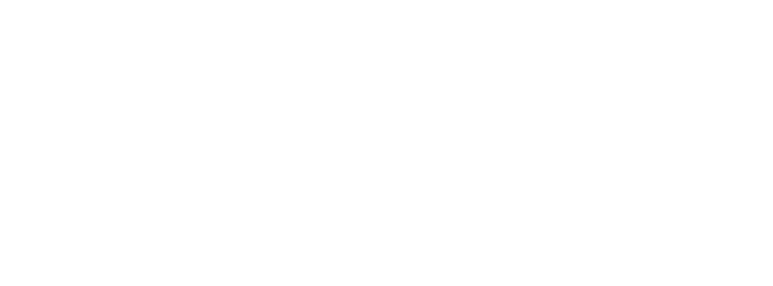


How SaaS Platforms Help Businesses Automate Everyday Workflows
Learn how SaaS platforms help businesses automate routine tasks, connect different tools, reduce manual work, and improve coordination across teams.

Businesses handle dozens of small tasks every day. Sales teams update lead records, finance teams process invoices, customer support teams respond to requests, and managers wait for approvals. When these tasks depend on manual updates or messages between departments, work can slow down.
SaaS Platforms give businesses a way to manage many of these activities through cloud-based software. When the right tools are connected, information can move between systems automatically, and routine actions can happen without someone having to initiate every step.
For example, a new lead submitted through a website could be added to a CRM, assigned to a sales representative and followed by an email confirmation. The team can then focus on speaking with the lead instead of entering the same information into several tools.
What Is Workflow Automation in a SaaS Business?
Workflow automation means using software to carry out a sequence of tasks based on defined rules, events, or conditions. A workflow might begin when a customer submits a form, an invoice arrives, or a sales opportunity changes status.
Instead of asking an employee to complete every step manually, the system performs the actions it has been configured to handle.
For example, an expense approval workflow could send a submitted claim to a manager, notify the finance team after approval, and update the relevant record. If the claim exceeds a set limit, it could be routed to a senior manager.
Good workflow automation makes responsibilities clearer and reduces the number of routine steps employees need to remember.
Which Business Tasks Can SaaS Platforms Automate?
The most useful opportunities often appear in processes that follow the same pattern every time.
Sales and lead management
When someone fills out a contact form, a SaaS platform can create a lead record, assign it to the appropriate sales representative, and schedule a follow-up task. It can also notify the team when a lead has not received a response within a defined period.
This helps reduce missed enquiries and gives sales teams a more consistent way to manage their pipeline.
Customer support
Customer support workflows can categorize incoming requests, assign tickets based on their subject, and notify staff when a response deadline is approaching. Common questions may receive an automated reply, while complex issues can be passed to a human agent.
The goal is to help requests reach the right person without unnecessary delays.
Finance and approvals
Finance teams can automate invoice routing, payment reminders, expense approvals, and record updates. A system can flag missing information or send a reminder when an approval is overdue.
These steps can reduce repetitive administration, although financial decisions and exceptions may still require human review.
Reporting and internal communication
SaaS tools can collect updates from connected systems and send scheduled reports to relevant employees. A sales manager, for instance, could receive a regular summary of new leads and pending follow-ups without asking every representative for an update.
How Does Workflow Automation Connect Different Business Tools?
Businesses often use separate applications for customer relationships, accounting, project management, email, and support. Problems arise when those systems do not share information properly.
SaaS integrations connect these tools through APIs, built-in connectors, or automation software. When an event occurs in one application, it can trigger an action in another.
Consider a project management workflow. When a customer signs a contract, the CRM can notify the project management tool to create a new project, assign initial tasks, and alert the delivery team. Staff do not need to recreate every detail manually.
However, integration needs to be planned carefully. Teams should decide which system owns each important record, how duplicate entries will be handled, and what happens when an update fails. These details help keep automated workflows reliable as the business grows.
Can AI Voice Agents Improve Automated Workflows?
Some workflows involve phone calls, which can take up a significant amount of time when employees need to contact customers individually.
AI Voice Agents can support selected parts of these processes. For example, a voice agent may call a customer to confirm an appointment, collect basic information, or remind them about a pending action. Depending on the system, the result of the call can then be recorded in a CRM or sent to the appropriate team.
A practical workflow might look like this: the system identifies an overdue customer follow-up, initiates an approved call, records the outcome, and creates a task for an employee if the customer requests further assistance.
Voice automation needs clear limits. Sensitive conversations, complaints, and situations that require judgment should be transferred to a human when appropriate.
Where Can On-Device AI Fit Into Business Automation?
On-device AI runs certain AI tasks directly on a device instead of sending every request to a remote server. It may be useful in workflows that require local processing, quick responses, or reduced dependence on continuous connectivity.
For example, a business application on a supported device might use local AI to classify information or assist with a task before syncing the result with a central system.
Its usefulness depends on the model, device capabilities, security requirements, and the type of data being processed. Larger or more complex tasks may still need cloud-based AI services. Businesses should choose the approach that fits the workflow rather than adding on-device processing without a clear reason.
Can SaaS Platforms Automate Work Across Connected Devices?
Some business processes involve information from physical equipment, scanners, sensors, or connected devices. A SaaS platform can collect that information and use predefined rules to trigger an action, such as creating a maintenance ticket or notifying an operations manager.
In some industries, eSIM Technology can help supported connected devices access mobile networks without relying on a removable physical SIM card. This may be relevant when businesses manage equipment deployed across different sites, although connectivity alone does not automate the workflow.
Physical AI is another area to consider where machines need to interpret their surroundings and act in the real world. For instance, a warehouse robot may detect an obstacle while a connected business system updates task status or alerts an operator. These technologies serve different purposes, but they can work alongside SaaS software when the integration is designed for a specific operational need.
How Can Businesses Decide Which Workflows to Automate First?
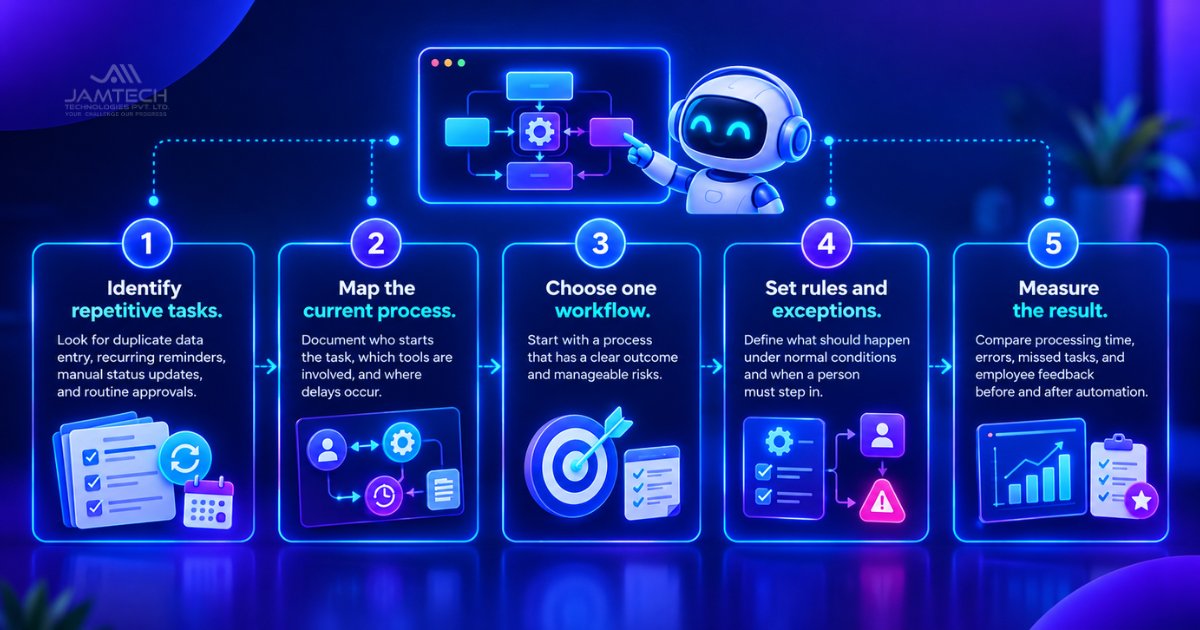
Automating every process at once can create unnecessary complexity. A better starting point is to identify tasks that happen frequently, follow clear rules, and consume time without requiring much judgment.
Businesses can use the following approach:
Identify repetitive tasks. Look for duplicate data entry, recurring reminders, manual status updates, and routine approvals.
Map the current process. Document who starts the task, which tools are involved, and where delays occur.
Choose one workflow. Start with a process that has a clear outcome and manageable risks.
Set rules and exceptions. Define what should happen under normal conditions and when a person must step in.
Measure the result. Compare processing time, errors, missed tasks, and employee feedback before and after automation.
A small workflow that works reliably is a better foundation than a large system that employees struggle to use.
What Should Businesses Check Before Automating a Workflow?
Automation depends on more than the software itself. Businesses need to consider data quality, access permissions, integration reliability, and the impact of errors.
If a workflow uses incomplete customer records, it may send notifications to the wrong people or create duplicate tasks. If an integration stops working, the business needs a way to detect the failure and recover missed actions.
Security also matters. Automated processes should use appropriate permissions, keep records of important actions, and limit access to sensitive information. Teams should know which actions are automatic and which require approval.
It is also worth reviewing workflows after launch. Business rules change, applications are updated, and exceptions that were once rare may become common. Regular checks help keep automation aligned with how the business actually operates.
Can Workflow Automation Replace Manual Work Completely?
Workflow automation can handle many predictable tasks, but it does not remove the need for people. Employees are still needed to resolve unusual cases, make decisions that involve context, manage customer relationships, and review outcomes when something goes wrong.
The most effective approach is to automate routine steps while keeping human oversight where judgment matters. A support request might be categorized and assigned automatically, for example, but a sensitive complaint should still reach someone qualified to handle it.
Businesses should view automation as a way to reduce unnecessary effort and give employees more time for work that needs their attention.
Frequently Asked Questions
Q1: How do SaaS Platforms help businesses automate workflows?
SaaS Platforms let businesses connect applications, define rules, and trigger actions when specific events occur. They can automate tasks such as lead assignment, customer notifications, approvals, and reporting.
Q2: What is the difference between workflow automation and traditional task management?
Task management helps people organize and track work. Workflow automation goes further by allowing software to perform defined actions, transfer information, and notify people when certain conditions are met.
Q3: Can AI Voice Agents be part of a business workflow?
Yes. AI Voice Agents can handle selected calls, confirm information, send reminders, and record call outcomes. They can also pass complex requests to employees when a conversation needs human attention.
Q4: Is On-Device AI necessary for SaaS workflow automation?
No. Many workflows run through cloud-based applications and integrations. On-device AI may be useful when local processing, quick responses, or reduced dependence on cloud connectivity is important.
Q5: How should a business measure the success of workflow automation?
A business can track processing time, manual steps removed, error rates, missed tasks, and employee feedback. Comparing these measures before and after implementation helps show whether the workflow is delivering practical value.
Ready to grow your business with Jamtech?
Talk to our experts about your next digital project.